
Join WhatsApp Group
Join Now
JEE Main 2026 Admit Card – Key Information & How To Download
The JEE Main 2026 Session-1 admit card is an essential document that candidates must carry to the examination centre. It confirms your eligibility, exam date, exam centre, shift timing, and provides important instructions for the exam day.
Exam Overview
- Exam: Joint Entrance Examination (Main) 2026 – Session-1
- Conducting Body: National Testing Agency (NTA)
- Mode: Computer-Based Test (CBT)
- Exam Dates (Session-1): 21, 22, 23, 24, 28 & 29 January 2026
- Official Admit Card Website: https://jeemain.nta.nic.in
JEE Mains Admit Card 2026: “JEE Mains Admit Card Download Link”
Admit Card Release
- The JEE Main 2026 admit card will be released online a few days before the exam — typically 3–4 days prior to your scheduled exam date.
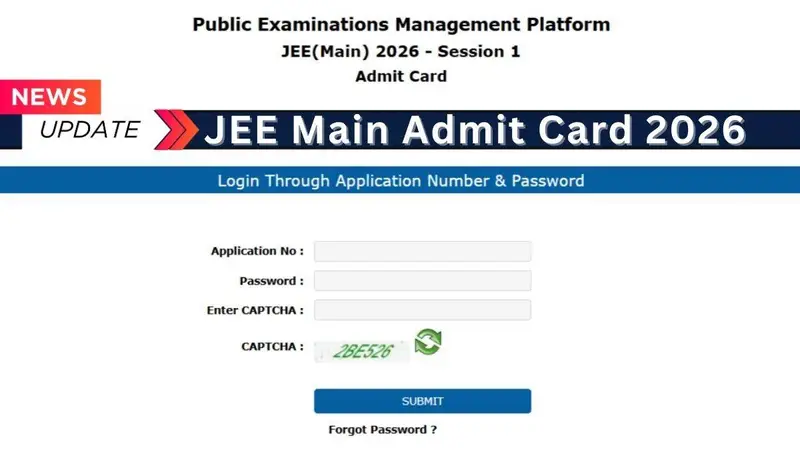
“JEE Main Admit Card Second Download Link”
Details on the Admit Card
When released, the admit card will include:
- Your name, application number, and roll number
- Exam date, shift & reporting time
- Exam centre name & full address
- Photograph & signature
- Important exam day instructions
How to Download Your JEE Main 2026 Admit Card
- Go to the official JEE Main website: jeemain.nta.nic.in
- Click the link labeled “JEE Main 2026 Admit Card”
- Log in using your Application Number and Password (or DOB if allowed)
- Submit the details
- Download and print multiple copies of the admit card
What to Carry on Exam Day
- Printed JEE Main 2026 admit card (mandatory)
- A valid photo ID (Aadhaar, passport, voter ID, etc.)
- Passport-size photograph (as per application)
Failure to carry the admit card will not allow entry into the exam hall.
Tips & Important Notes
- The city intimation slip released earlier only shows your exam city — it is not the final admit card.
- If you face issues while downloading, verify your login details and try again.
- Check all information carefully once your admit card is downloaded.
- Contact the NTA helpdesk immediately in case of errors.